배송 및 반품
Europe, UK: Tuesday, Jan 20 ~
USA: Saturday, Jan 17 ~
Australia: Monday, Jan 19 ~
Asia: Sunday, Jan 18
UAE: Monday, Jan 19
Order within 9 Hours 35 mins with Scheduled Delivery. If you place an order within this time, We will ship on Friday, Jan 16 2026 This delivery time is calculated by DHL and FedEx. You can check the exact delivery date on checkout page.
USA: Saturday, Jan 17 ~
Australia: Monday, Jan 19 ~
Asia: Sunday, Jan 18
UAE: Monday, Jan 19
Order within 9 Hours 35 mins with Scheduled Delivery. If you place an order within this time, We will ship on Friday, Jan 16 2026 This delivery time is calculated by DHL and FedEx. You can check the exact delivery date on checkout page.
구매자 보호
Full refund if not genuine. Full or partial refund, if the new item is not as described.
커스터머 리뷰 (0 rating)
현재 상품리뷰가 없습니다....
상품설명 (2,799 characters)
●Features
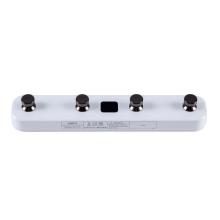
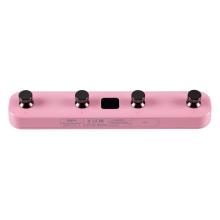
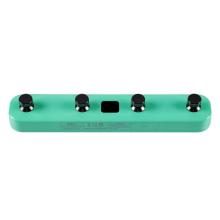
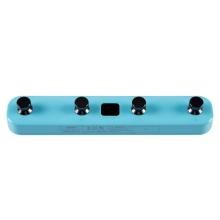
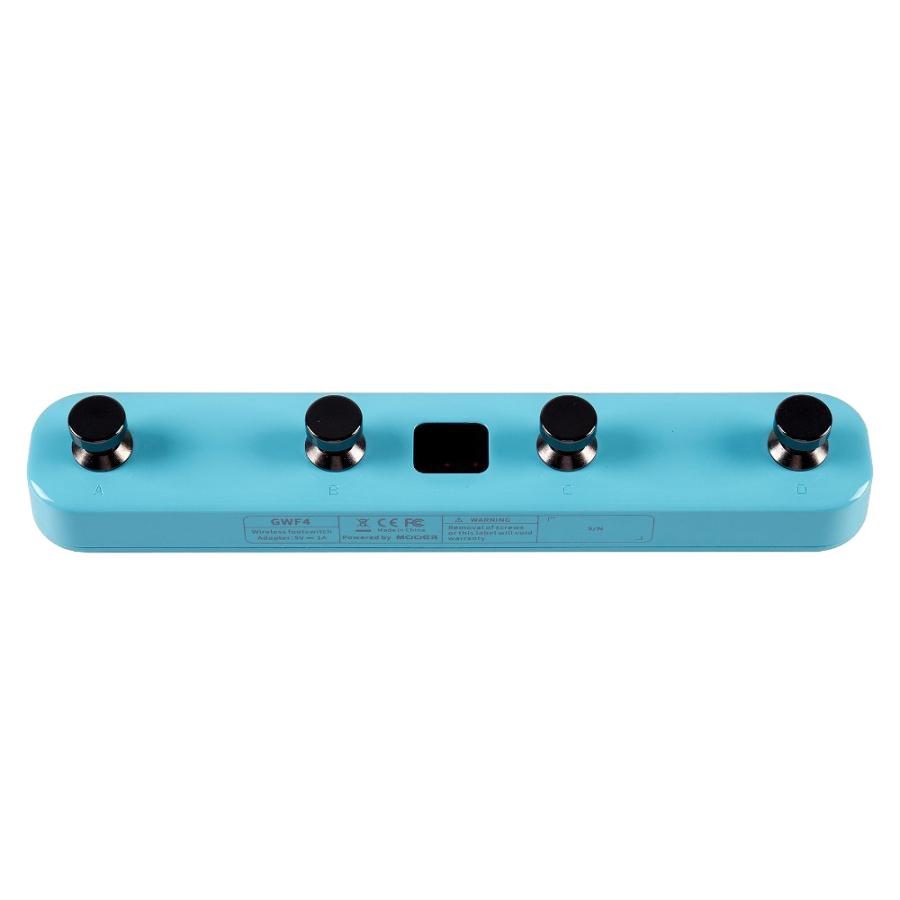
・4-channel footswitch for switching between presets and effects on GTRS and Prime P1
・Footswitch LED indicates current status
・LED display screen shows selected preset name
●Low Battery Alert: The footswitch LED flashes when the battery level is low. Wireless footswitch designed for Mooer intelligent systems such as GTRS guitars and Prime P1. Features
●Features
・4-channel footswitch for switching between presets and effects on GTRS and Prime P1
・Footswitch LED indicates current status
・LED display screen shows selected preset name
●Low Battery Alert: The footswitch LED flashes when the battery level is low.
●Integration with Prime P1: Switch between Prime P1 presets with the footswitch. Connection is via the Prime App. ● Integration with GTRS
・Control Mode 1 Changing Preset Banks: Pressing the A and B footswitches simultaneously switches between preset banks 0 to 9, while pressing C and D simultaneously cycles through preset banks 9 to 0. The currently selected preset bank is displayed on the left side of the LED display. When you switch preset banks, the back number flashes. You can select a preset within the selected preset bank by continuing to press the footswitch. Once a preset is selected, the LED stops flashing. Changing Presets: Pressing any footswitch changes the preset within the current bank. The LED for each footswitch indicates the currently selected preset. The current preset name is displayed on the right side of the LED display.
・Control Mode 2 Changing Presets: Pressing footswitch A switches from preset 9D to 0A, while pressing footswitch B switches from preset 0A to 9D. The currently selected preset is displayed on the LED display, and the footswitch LED turns OFF. CTRL: Footswitches C and D function as CTRL. With this function, the footswitch LED indicates the effect status. When assigned to TAP control, the footswitch LED flashes when the footswitch is pressed once. Tuner: Press and hold the GTRS control knob or press the switch assigned to the tuner on the GWF4 to activate the tuner. In tuner mode, all footswitch LEDs turn off and the current pitch is displayed on the LED display. The pitch is displayed on the left side of the display. When the right display rotates clockwise, the current pitch is sharp; when it rotates counterclockwise, the current pitch is flat. When the right display stops rotating, the tuning is correct. App Control: The GWF4's control mode can be set in the GTRS App. Control Mode 1 is the default. ■Management Code: 4562459904446 Category: Effects, Line Selector/Switcher, Musical Instruments, Crafts, and Collections, Instruments, Equipment, Guitars, Guitar Effects Pedals JAN/ISBN Code: 4562459904446 Product Code: mt0130131
●Features
・4-channel footswitch for switching between presets and effects on GTRS and Prime P1
・Footswitch LED indicates current status
・LED display screen shows selected preset name
●Low Battery Alert: The footswitch LED flashes when the battery level is low. Wireless footswitch designed for Mooer intelligent systems such as GTRS guitars and Prime P1. Features
●Features
・4-channel footswitch for switching between presets and effects on GTRS and Prime P1
・Footswitch LED indicates current status
・LED display screen shows selected preset name
●Low Battery Alert: The footswitch LED flashes when the battery level is low.
●Integration with Prime P1: Switch between Prime P1 presets with the footswitch. Connection is via the Prime App. ● Integration with GTRS
・Control Mode 1 Changing Preset Banks: Pressing the A and B footswitches simultaneously switches between preset banks 0 to 9, while pressing C and D simultaneously cycles through preset banks 9 to 0. The currently selected preset bank is displayed on the left side of the LED display. When you switch preset banks, the back number flashes. You can select a preset within the selected preset bank by continuing to press the footswitch. Once a preset is selected, the LED stops flashing. Changing Presets: Pressing any footswitch changes the preset within the current bank. The LED for each footswitch indicates the currently selected preset. The current preset name is displayed on the right side of the LED display.
・Control Mode 2 Changing Presets: Pressing footswitch A switches from preset 9D to 0A, while pressing footswitch B switches from preset 0A to 9D. The currently selected preset is displayed on the LED display, and the footswitch LED turns OFF. CTRL: Footswitches C and D function as CTRL. With this function, the footswitch LED indicates the effect status. When assigned to TAP control, the footswitch LED flashes when the footswitch is pressed once. Tuner: Press and hold the GTRS control knob or press the switch assigned to the tuner on the GWF4 to activate the tuner. In tuner mode, all footswitch LEDs turn off and the current pitch is displayed on the LED display. The pitch is displayed on the left side of the display. When the right display rotates clockwise, the current pitch is sharp; when it rotates counterclockwise, the current pitch is flat. When the right display stops rotating, the tuning is correct. App Control: The GWF4's control mode can be set in the GTRS App. Control Mode 1 is the default. ■Management Code: 4562459904446 Category: Effects, Line Selector/Switcher, Musical Instruments, Crafts, and Collections, Instruments, Equipment, Guitars, Guitar Effects Pedals JAN/ISBN Code: 4562459904446 Product Code: mt0130131